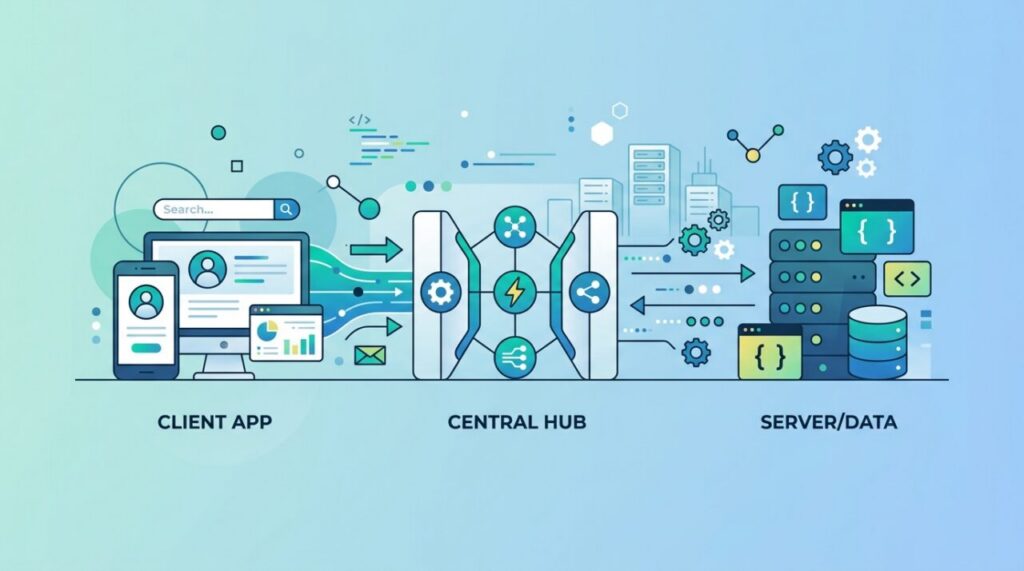

You use them hundreds of times a day without ever seeing them. When you check the weather on your phone, log in with Google, or see a Google Map embedded in another site, an API is quietly doing the work behind the scenes. It’s one of the most important concepts in all of software — and once it clicks, a huge amount of how the modern internet works suddenly makes sense.
What is an API, really?
API stands for Application Programming Interface. Strip away the jargon and it’s simply a way for two pieces of software to talk to each other. It defines a set of rules: “if you ask me for something in this specific way, I’ll respond in this specific way.” One program makes a request, the other sends back a response.
The key idea is that an API lets you use a service without knowing how it works inside. You don’t need to understand how a weather service gathers and stores forecasts — you just need to know how to ask it, and it hands you the answer.
The restaurant analogy
The classic way to explain an API is a restaurant waiter. You (the customer) sit at a table and read the menu. You don’t march into the kitchen to cook — you tell the waiter what you want. The waiter takes your order to the kitchen and brings back your food. You never see the kitchen’s inner workings.
The API is the waiter. Your application is the customer, the server is the kitchen, and the menu is the list of things you’re allowed to ask for. The API takes your request, delivers it to the system that can fulfill it, and brings back the response — all without you needing to know what happens in the back.
How a web API request works
Most APIs you’ll meet today are web APIs, and they work over the same HTTP that powers websites. A typical exchange looks like this:
- Your app sends a request to a specific URL (an “endpoint”), using an HTTP method like
GET(fetch data) orPOST(send data). - The server receives it, does its work, and sends back a response.
- The response includes a status code (like 200 for success or 404 for not found) and usually some data, most often in JSON format.
That’s the whole cycle: request goes out, response comes back. Everything else is detail layered on top of this simple loop.
Why APIs matter so much
APIs are what let software build on other software instead of reinventing everything. A small startup can add maps, payments, text messages, and AI to its product in an afternoon by calling APIs from other companies — no need to build a mapping system or a payment network from scratch.
They also enable the connected experiences we take for granted. “Log in with Google,” a flight-comparison site pulling prices from dozens of airlines, an app that posts to your social media — all of it runs on APIs. They’re the glue holding the digital world together.
Common types of APIs
Not every API is a public web service. You’ll encounter a few flavors:
- Web APIs — services you call over the internet, like the ones above. Most follow a style called REST.
- Library or framework APIs — the functions a code library exposes for you to use.
- Operating system APIs — how apps ask the OS to do things like open a file or access the camera.
The underlying idea is identical in each case: a defined interface that lets one piece of software use another.
A quick word on API keys
Many APIs require an API key — a unique string that identifies who’s making the request. It lets the provider control access, track usage, and enforce limits. Treat your API keys like passwords: never paste them into public code or share them, because whoever has the key can use the service as you. This is exactly why keys usually live in environment variables rather than in your source code.
Your first real API call
Nothing demystifies APIs like making one actual request. Open your terminal and try this — it calls a free public API that needs no key:
curl https://api.github.com/users/torvaldsBack comes a JSON document describing Linus Torvalds’ GitHub profile — name, bio, follower count, repo count. In JavaScript, the same request looks like:
const res = await fetch('https://api.github.com/users/torvalds');
const user = await res.json();
console.log(user.name, user.followers);
That’s genuinely all an API call is: a URL, a request, a structured response. Everything else you’ll learn — authentication, pagination, error handling — is refinement layered onto this loop. If you’ve never done it, run that curl command now; the “oh, that’s it?” moment is worth more than any diagram.
Reading API documentation without drowning
Every API lives or dies by its documentation, and learning to read docs efficiently is a skill in itself. When you open a new API’s docs, hunt for four things in this order: the base URL (where requests go), authentication (how you prove who you are — usually an API key or token in a header), a list of endpoints (what you can ask for), and an example request and response for the endpoint you care about.
Good docs give you a copy-pasteable example; great ones give you an interactive playground. Start from the example, get it working unchanged, then modify one thing at a time. Trying to assemble a request from scratch out of reference tables is the slow, error-prone way — always start from working code.
What rate limits are and why you’ll meet them
Try to call most APIs in a tight loop and you’ll quickly receive an HTTP 429 Too Many Requests response. That’s a rate limit — a cap on how many requests you may make per minute or hour. Providers impose them to keep one careless (or malicious) client from degrading service for everyone.
Well-behaved clients respect the response headers that describe the limit (how many requests remain, when the window resets), back off when told, and cache responses they’d otherwise re-fetch. If you’re building anything beyond a toy, assume rate limits exist and design for them from the start — retrofitting backoff into a codebase that assumed unlimited calls is miserable work.
Frequently asked questions
Is an API the same as a database? No — but they’re often connected. The database stores the data; the API is the controlled doorway in front of it, deciding who may read or change what. Apps talk to the API; only the API talks to the database.
What does REST mean? REST is the most common style for web APIs: resources live at URLs, standard HTTP methods (GET, POST, PUT, DELETE) express actions, and responses usually come back as JSON. When someone says “a REST API,” they mean an API following these conventions.
Are APIs free? Many have generous free tiers for developers, with paid plans as usage grows. Public-data APIs (weather, open government data) are often entirely free, while commercial ones (payments, AI models) charge per use. Check the pricing page before building your product on one.
The takeaway
An API is a defined way for two programs to communicate — a menu of requests one piece of software can make to another, and the responses it gets back. Like a waiter between you and the kitchen, it lets you use powerful services without knowing their inner workings. Once you understand that nearly every app is really a collection of APIs talking to each other, the architecture of the modern internet stops being a mystery and starts being something you can build with.