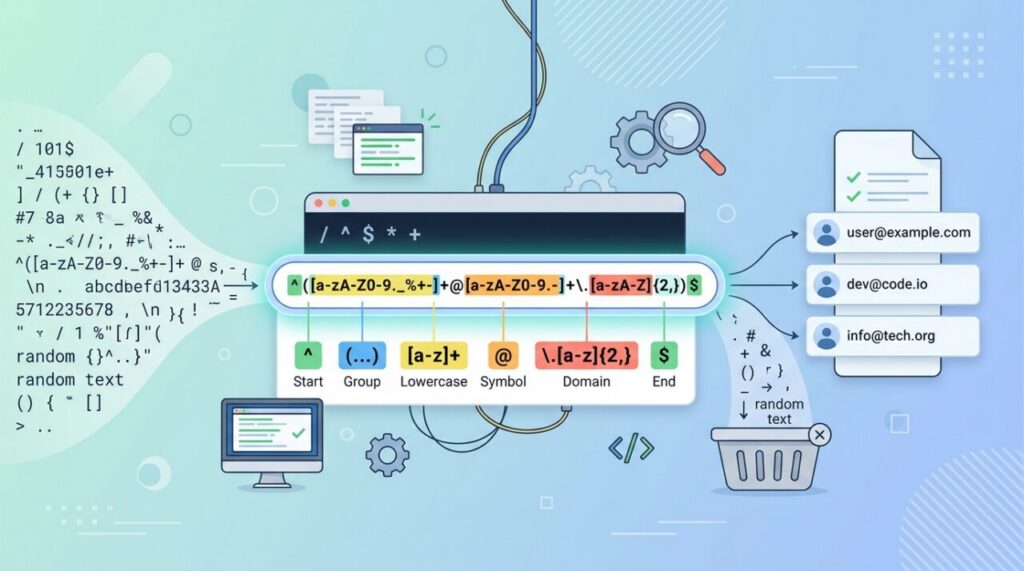

Few tools inspire as much love and dread as the regular expression. To the uninitiated, regex looks like a cat walked across the keyboard: ^\d{3}-\d{2}-\d{4}$. But behind that intimidating syntax is one of the most powerful and portable skills a developer can own — a mini-language for finding and manipulating text that works almost everywhere. This is a friendly on-ramp to understanding it.
What a regular expression is
A regular expression (regex or regexp) is a pattern that describes a set of strings. Instead of searching for one exact word, you describe the shape of what you’re looking for — “three digits, a dash, then four digits” — and the regex engine finds every piece of text that matches that shape. It’s used for searching, validating, and replacing text, and nearly every programming language and text editor supports it.
That universality is what makes regex worth learning once and using forever. The pattern you write in JavaScript looks almost identical in Python, PHP, Java, and your code editor’s find-and-replace box.
Literal characters and the magic of metacharacters
At its simplest, a regex matches exactly what you type: the pattern cat matches the letters “cat.” The power comes from metacharacters — special symbols that mean something more than themselves:
.— matches any single character.\d— matches any digit;\wmatches any word character;\smatches whitespace.^and$— anchor a match to the start and end of the text.[abc]— a character class, matching any one of the characters inside the brackets.
Combine a few of these and you can describe remarkably specific patterns with very little text.
Quantifiers: how many times
Metacharacters describe what to match; quantifiers describe how many:
*— zero or more of the preceding item.+— one or more.?— zero or one (making something optional).{3}— exactly three;{2,4}— between two and four.
Now that scary example from the intro makes sense: ^\d{3}-\d{2}-\d{4}$ means “start, three digits, a dash, two digits, a dash, four digits, end” — a US Social Security number format. Read piece by piece, the gibberish becomes a sentence.
Groups and alternation
Parentheses ( ) create groups, which do two useful things: they let a quantifier apply to a whole chunk, and they let you capture part of a match to reuse it. The pipe | means “or,” so (cat|dog) matches either word. Capturing is what makes regex great for extraction — pulling the area code out of a phone number, or the domain out of an email — not just checking whether text matches.
The honest warnings
Regex is powerful, but respect its sharp edges. Two lessons save real pain. First, regex is write-once, read-never if you’re not careful — a clever pattern you wrote today can be baffling next week, so comment complex ones and prefer clarity over cleverness. Second, and famously: don’t try to parse HTML with regex. HTML is too nested and irregular for regular expressions to handle reliably; use a proper parser instead. Regex shines on structured, predictable text like dates, phone numbers, and log lines — not on deeply nested markup.
The only way to actually learn it
Nobody learns regex by reading about it — you learn by testing patterns against real text and watching what matches. The single best habit is to build your patterns interactively in a tester that highlights matches as you type, so you get instant feedback. Our regex tester is built for exactly this: paste your text, write your pattern, and see live what it catches. Ten minutes of hands-on experimenting teaches more than an hour of reading.
Start small and build up
You don’t need to memorize the entire syntax to be productive. Start with the handful of pieces above — literals, \d and \w, anchors, and the basic quantifiers — and you can already validate emails, find patterns in logs, and do powerful find-and-replace. Add groups and alternation as you need them. Regex rewards incremental learning; each small piece you pick up immediately makes you more capable.
Five patterns you’ll actually use this week
Theory sticks better with patterns you can put to work immediately:
/^\S+@\S+\.\S+$/           - a pragmatic email check
/^\d{4}-\d{2}-\d{2}$/       - ISO date (2026-07-08)
/\bTODO\b|\bFIXME\b/        - find leftover task markers in code
/\s{2,}/g                   - collapse multiple spaces (replace with one)
/^(https?):\/\/[^\s/$.?#].[^\s]*$/i  - rough URL validation
Note the phrase “pragmatic email check.” The truly complete email regex is a legendary monstrosity hundreds of characters long, and even it can’t tell you whether the inbox exists. In practice, checking for “something, an @, something, a dot, something” and then sending a confirmation email beats any clever pattern. That’s a good regex lesson in general: match sensibly, don’t chase perfection in the pattern.
Greedy vs lazy: the bug everyone hits
Here’s the classic regex surprise. Quantifiers are greedy by default — they match as much as possible. Run /<.+>/ against <b>bold</b> hoping to match one tag, and it matches the entire string, because .+ grabs everything between the first < and the last >.
Adding ? after a quantifier makes it lazy — matching as little as possible. /<.+?>/ stops at the first closing bracket and matches <b> like you intended. The moment a pattern matches “way more than I wanted,” greediness is almost always the culprit. It’s the single most common regex bug, and knowing the one-character fix puts you ahead of most developers.
Regex flags: the switches that change everything
Patterns take modifier flags that alter how matching works, and three do most of the work:
g(global) — find all matches instead of stopping at the first. Essential for find-and-replace.i(case-insensitive) —/error/imatches “Error”, “ERROR”, and “error” alike.m(multiline) — makes^and$anchor to each line rather than the whole string, which is what you usually want when scanning logs or file contents.
A pattern that “mysteriously only replaces the first occurrence” is missing g; one that “randomly misses matches” is often missing i. Check flags before doubting your pattern.
Frequently asked questions
Are regexes the same in every language? The core syntax is remarkably consistent, but flavors differ at the edges — lookbehind support, named groups, Unicode handling. If a pattern from Stack Overflow misbehaves, check it was written for your language’s flavor.
Can regex be slow? Yes — badly written patterns with nested quantifiers (like (a+)+) can hit “catastrophic backtracking,” where matching time explodes on certain inputs. It’s even a denial-of-service vector (ReDoS) when user input reaches a vulnerable pattern. Keep patterns simple, and be careful running complex regex on untrusted input.
Should I use regex for parsing structured formats? For genuinely regular text — log lines, dates, identifiers — absolutely. For nested formats (HTML, JSON, code), use a real parser; regex fundamentally can’t track nesting depth, and fighting that is a rite of passage best skipped.
The takeaway
A regular expression is a compact pattern language for matching, validating, and extracting text — and it’s one of the most transferable skills in all of programming, working nearly identically across languages and editors. Learn it in small pieces, read patterns left to right, respect its limits (no HTML parsing), and practice in a live tester. What looks like keyboard noise today becomes, with a little practice, one of the sharpest tools you own.